


Snap News: Local & Alerts
4.3153.00 Reviews
App Specs
- Version
- 1.2.7
- Updated On
- License
- Free
- Downloads
- 500,000+
- Developer
- Build4world
- Categories
- News & Magazines
- Platform
- Android
Screenshots
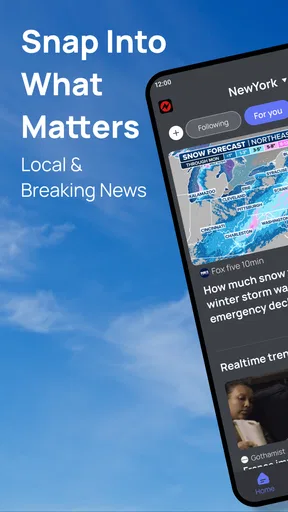
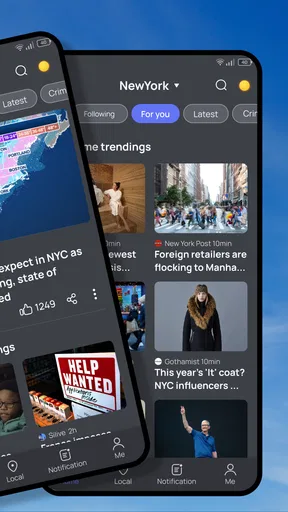
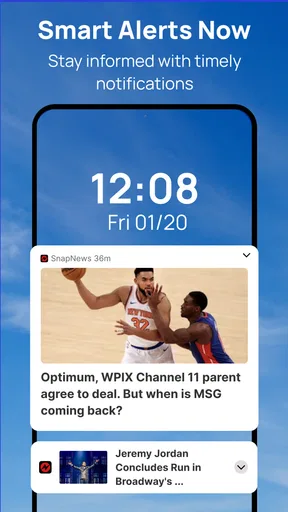
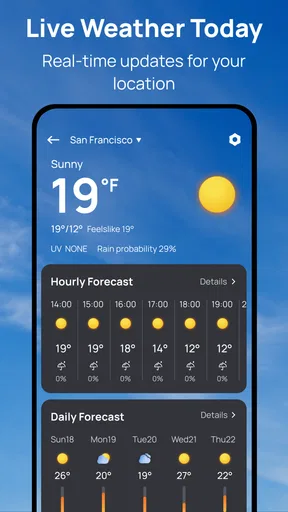
 Analysis by AppCompare
Have you ever been caught off guard by unexpected news events happening right around the corner? Well, that's where Snap News: Local & Alerts comes in handy. This nifty little app is like having a local news reporter in your pocket, ready to deliver breaking news and alerts about your community at a moment’s notice. Let me walk you through my experience with this app and why it might just be the perfect addition to your smartphone.
Designed for quick checks, not long reading sessions
For a local-news app, readability is about more than tidy screens: it is whether I can find the useful point of a story before my attention moves elsewhere. Snap News keeps its basic routine straightforward. I open the feed, scan local coverage, and choose whether to read an article or save it. That simple path suits short visits during a break, though anyone who wants deep research tools or a carefully organized archive may find it less satisfying than a dedicated newspaper app.
I would use the feed as a starting point rather than assume every headline tells the whole story. When a report could affect a decision, such as whether to change a route or check on a neighbor, I open the article and look for its source and context. A useful habit is to bookmark a developing story and revisit it later instead of trying to absorb every update as it arrives. That keeps a quick news check from turning into an endless scroll.
Notifications need to fit the moment
Alerts can be valuable when they arrive at the right time, but the same interruption can be unhelpful in a meeting, on public transport, or while caring for someone. I would treat notification choices as part of setting up the app, not as something to leave untouched. Keep the topics that genuinely affect your routine, then reconsider the rest after using the feed for a while. The trade-off is clear: fewer alerts mean less interruption, while a narrow selection could also leave out a story you would have wanted to see.
For sensory comfort, a news alert is best read when it is safe and convenient to do so. I would avoid relying on a phone notification as the only way to learn about urgent events, especially if sound or vibration is distracting or easy to miss. The app can complement other trusted information channels, but it should not replace emergency instructions or direct updates from local authorities. This is a practical distinction, not a criticism of local news: reporting and official alerts serve different purposes.
Getting Started with Snap News
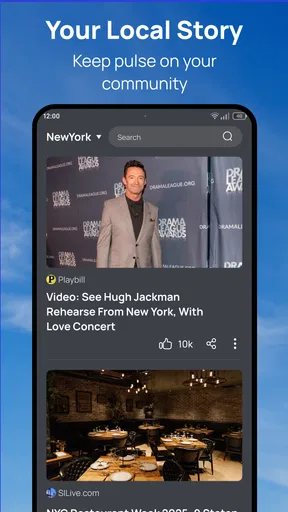
First things first, downloading Snap News: Local & Alerts from the app store is a breeze. Once installed, you’re greeted with a user-friendly interface that feels both modern and intuitive. The app doesn’t waste any time bombarding you with unnecessary information; it gets straight to the point, which is refreshing.
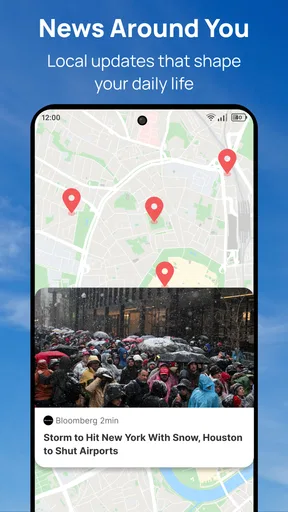
Upon opening the app for the first time, you’re prompted to allow location access. This might seem a bit intrusive at first, but it’s essential for delivering timely local alerts. The app does a good job of explaining why this is necessary, and once you grant permission, it tailors the newsfeed to your specific area.
Worth Reading Before You Choose

Flipboard Shows What News Apps Must Do Beyond the Feed

Switching to Android Auto Means Rethinking Your Driving Routine

Google Calendar Makes a Crowded Week Easier to Manage

Ludo King Makes the Most of the Minutes Between Plans

Baby Panda World Brings Quick Play to Modern Phones, but Its Game Library Feels Busy

ESPN’s Live Game View Makes Following Close Games Easier
Who benefits from a neighborhood-focused feed?
I can see this fitting people who want community reporting alongside broader headlines: someone settling into a new area, a commuter who likes to keep an eye on local developments, or a household that wants an easy way to notice community events. It is also a reasonable option for readers who do not want to pick one local outlet and check it repeatedly. A combined feed can make discovery easier, although the experience still depends on whether the coverage available for your area is useful to you.
A realistic routine might be checking the feed over breakfast, saving a report about a road closure or neighborhood issue, and returning to it after work when there is time to read carefully. If a notification arrives while you are driving, leave it until you are parked; convenience is not worth dividing your attention. For a family, one person could scan local updates and share only the items that matter, rather than forwarding every alert into a busy group chat.
Location access is a choice worth making deliberately. If you prefer not to share it, consider whether the app’s local focus still makes sense for your needs before granting permission; the location-based experience described here depends on that access. I would also review location and notification choices in the phone’s settings if my routine changed. That gives me a simple way to reassess the balance between relevant updates and privacy or interruption without treating setup as a permanent decision.
How it differs from familiar news options
Compared with following a single local newspaper, Snap News may offer a more convenient way to encounter reporting from different local outlets in one feed. That variety is helpful when I want a quick sense of what is being covered, but it does not automatically make every report equally detailed or authoritative. For an ongoing civic issue, I would still read the original outlet’s full coverage and check official notices where the practical consequences matter.
Compared with a broad national-news app, the appeal here is the community angle rather than a larger menu of international coverage or advanced topic controls. If your priority is financial markets, specialist reporting, or a long-form reading library, a publication built around those needs is likely a better fit. Snap News makes more sense as a local layer in a reader’s routine than as the only source for every subject.
Features That Stand Out
One of the standout features of Snap News is its customization options. You can choose which types of alerts you want to receive. Whether it’s crime updates, weather alerts, or community events, you have full control over your news intake. I personally love this feature because it filters out the noise and delivers only what I care about.
The push notifications are another highlight. They are timely and relevant, ensuring you never miss an important update. I've found them particularly useful during severe weather conditions and local emergencies. It’s comforting to have an app that keeps you informed without making you feel overwhelmed.
Additionally, the app offers a slick newsfeed with articles sourced from various local outlets. The variety of sources adds depth and perspective to the news, which is something I greatly appreciate. You’re not just getting a single viewpoint; you’re getting a well-rounded picture of what’s happening around you.
Making the feed work for different needs
For readers who find frequent interruptions tiring, I would begin with only the alert topics that have a clear connection to daily decisions. A person who walks to work may value weather-related updates differently from someone who works from home; a parent may care more about community events than crime headlines. The point is not to follow every category, but to make the feed reflect the questions you actually have. If an alert repeatedly creates stress without helping you act, turning that topic off is a sensible adjustment.
There is also a useful distinction between seeing a headline and being able to use it. Someone with limited time can scan headlines and save a story for later, while someone who prefers more context can open the report and compare how different outlets frame it. Bookmarks support that slower approach, but they do not replace an organized research system. I would keep a short mental rule: save items I intend to revisit, and let passing headlines go rather than building a backlog I never read.
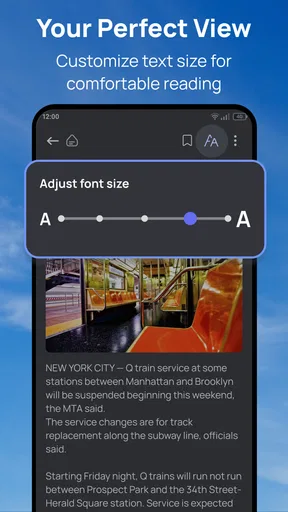
In terms of access, a phone-based feed can be convenient for readers who prefer information in small pieces, but it may be less comfortable for anyone who struggles with small text, screen glare, or frequent tapping. I would check the phone’s own text-size and display options and use them where they help. Those system adjustments can improve comfort, but they do not guarantee that every part of an app will adapt equally well. If reading on a phone is tiring, a larger screen or a publication’s own website may be a better place for longer articles.
Daily Use and Interaction
Using Snap News on a daily basis has been quite seamless. The app loads quickly, and the articles are easy to navigate. It’s clear that the developers put a lot of thought into the app’s design and user experience. Even for someone who isn’t tech-savvy, navigating through Snap News is straightforward.
Another small but delightful feature is the ability to bookmark articles. This comes in handy when you stumble upon something interesting but don’t have the time to read it right away. Just bookmark it and come back later. It’s the little conveniences like this that make the app stand out.
Limits to keep in mind before relying on it
Local coverage can vary in usefulness from one community to another, so I would judge the app by the stories it actually surfaces for my area rather than by the idea of local news alone. A place with frequent, relevant reporting may make the feed feel lively; elsewhere, readers may see less that speaks to their day. This is one reason I would try it alongside an established local source at first instead of immediately replacing a familiar routine.
Another trade-off is that a quick alert can make an incomplete story feel more settled than it is. Breaking reports often develop, and a first headline may not contain the context needed to understand what happened. I would check when a story was published, open the full report, and revisit it if the situation is changing. For safety decisions, I would follow direct guidance from the relevant authorities rather than infer instructions from a news summary.
Snap News is free, which makes trying it a low-commitment way to see whether a local feed suits you. Build4world’s app is in the news and magazines category, and its Everyone age rating makes it broadly approachable as a general news reader. It has a 4.2 average from over 600 ratings, with more than 90 written reviews and over 100,000 installs. Version 1.2.3 supports devices running Android 7.0 or later, so compatibility is worth checking before installing.
Final Thoughts
All in all, Snap News: Local & Alerts is a must-have for anyone who values staying in the loop with their local community. It’s more than just a news app; it’s a personalized alert system that keeps you connected to the world around you. With its customizable alerts, timely notifications, and user-friendly interface, it’s hard to find a reason not to download it.
If you’re someone who likes to be informed without the fuss, give Snap News a try. It’s like having a personal assistant who’s always got your back when it comes to local news. So go ahead, download it, and stay in the know. After all, who doesn’t want to be the first to hear about what’s happening right on their doorstep?
A practical, inclusive choice—not a universal one
My recommendation is strongest for readers who want a quick local overview, can comfortably use a phone screen, and are happy to manage which alerts deserve their attention. The mix of local-source articles, topic choices, notifications, and bookmarks gives that routine a useful shape without asking the reader to build a complicated system. Someone who wants to follow a neighborhood issue over several days can save a report, check later for new coverage, and use the feed to discover which outlets are reporting on it.
I would be more cautious about recommending it as a sole news source to someone who needs highly predictable coverage, extensive accessibility controls, or authoritative instructions during emergencies. Those needs call for dependable alternatives alongside a news feed: direct official channels for urgent guidance, a trusted publication for sustained reporting, or a larger display and system-level adjustments for more comfortable reading. That is not a knock on the app so much as a sensible boundary around what a local news reader can do.
For a reader deciding whether to keep it, the best test is practical: try a few ordinary days, notice whether the local stories are relevant, and see whether the alert choices feel helpful rather than noisy. If the feed makes it easier to spot community developments without adding friction, it earns a place on the home screen. If it leaves you checking multiple sources anyway or makes reading uncomfortable, a local outlet’s own app or website may serve you better.
Pros
- Instant local news updates.
- Customizable alert settings.
- User-friendly interface design.
- Diverse news categories available.
- Offline reading mode supported.
Cons
- Frequent ad interruptions.
- Sometimes slow loading times.
- Limited international news coverage.
- Occasional notification delays.
- Requires frequent updates.
FAQs for Snap News: Local & Alerts
What is Snap News: Local & Alerts?
Snap News: Local & Alerts is an app designed to keep users informed about the latest news and events happening in their local area. It provides real-time alerts and updates, ensuring that you stay connected to your community. The app offers a customizable experience by allowing users to select their preferred news categories and sources.
How does Snap News ensure the accuracy of its news content?
Snap News collaborates with reputable news sources to provide users with accurate and reliable information. The app aggregates news from a variety of trusted local and national outlets, ensuring diverse perspectives and comprehensive coverage. Additionally, Snap News employs a team of experienced editors to verify the authenticity of the news before it reaches users.
Is Snap News: Local & Alerts free to use?
Yes, Snap News: Local & Alerts offers a free version that provides access to essential news and alerts. However, there might be in-app purchases or subscription options available for users who want an ad-free experience or access to premium features, such as personalized alerts or exclusive content from partner news organizations.
Can I customize the types of alerts I receive from Snap News?
Absolutely! Snap News allows users to customize their alerts based on their interests and preferences. You can choose specific news categories, such as politics, sports, or entertainment, and set the frequency of notifications. This way, you receive only the news that matters most to you, without being overwhelmed by irrelevant updates.
How does Snap News handle user privacy and data security?
User privacy and data security are top priorities for Snap News. The app uses encryption to protect personal information and follows strict data protection regulations. Users have control over their privacy settings and can manage the data they share with the app. Snap News is committed to maintaining transparency and safeguarding user data.


